The app switcher currently doesn't work well in desktop mode (ALT-TAB moves between some apps but not all). We need something like the picture: all apps appear and as we press tab with alt pressed, the next window is selected. If the app switcher is called from gesture (move mouse to upper left corner) the app switcher is shown and a window can be selected by pressing it. The picture shows very big margins to the app switcher. We want upper margin: the topbar height + 5% of screen height, bottom margin: docker height + 5% of screen height, left and right margins: 5% of screen width.
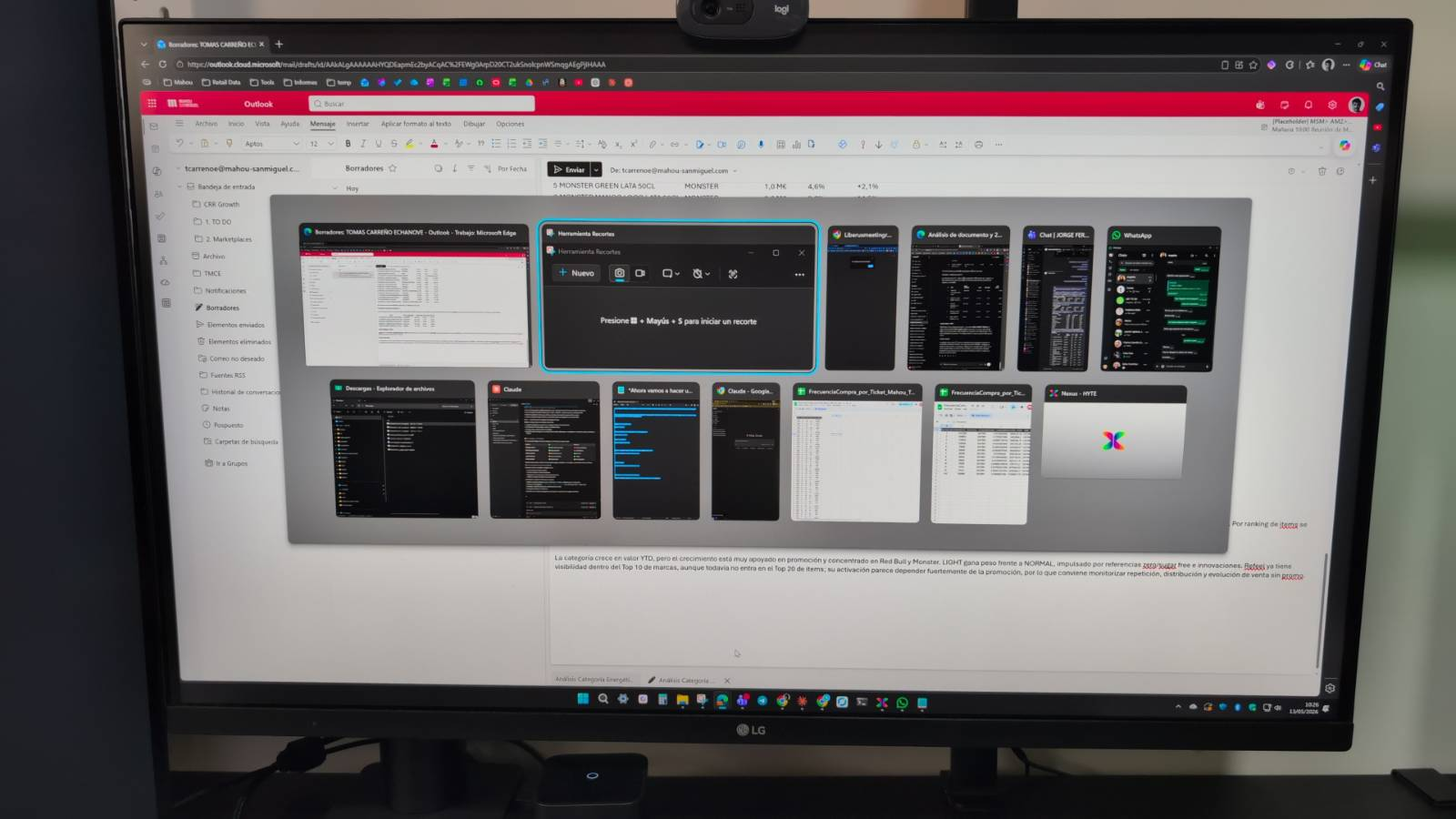
The app switcher currently doesn't work well in desktop mode (ALT-TAB moves between some apps but not all). We need something like the picture: all apps appear and as we press tab with alt pressed, the next window is selected. If the app switcher is called from gesture (move mouse to upper left corner) the app switcher is shown and a window can be selected by pressing it. The picture shows very big margins to the app switcher. We want upper margin: the topbar height + 5% of screen height, bottom margin: docker height + 5% of screen height, left and right margins: 5% of screen width. 
Blocking a user prevents them from interacting with repositories, such as opening or commenting on pull requests or issues. Learn more about blocking a user.
The app switcher currently doesn't work well in desktop mode (ALT-TAB moves between some apps but not all). We need something like the picture: all apps appear and as we press tab with alt pressed, the next window is selected. If the app switcher is called from gesture (move mouse to upper left corner) the app switcher is shown and a window can be selected by pressing it. The picture shows very big margins to the app switcher. We want upper margin: the topbar height + 5% of screen height, bottom margin: docker height + 5% of screen height, left and right margins: 5% of screen width.